Using the Anomali Platform in an MSSP Environment 
The Anomali platform supports multi-tenancy through the MSSP (Managed Security Services Provider) feature, which allows you to control the security of multiple customers while keeping each customer’s data separate. This is done using organizations—each customer has their own independent organization, and data is not shared across them.
If your organization is configured as an MSSP-type organization, your customers appear as sub-organizations in the MSSP Control menu at the top of the Anomali platform UI. From this menu, you can select a specific customer’s sub-organization to access their Anomali environment.
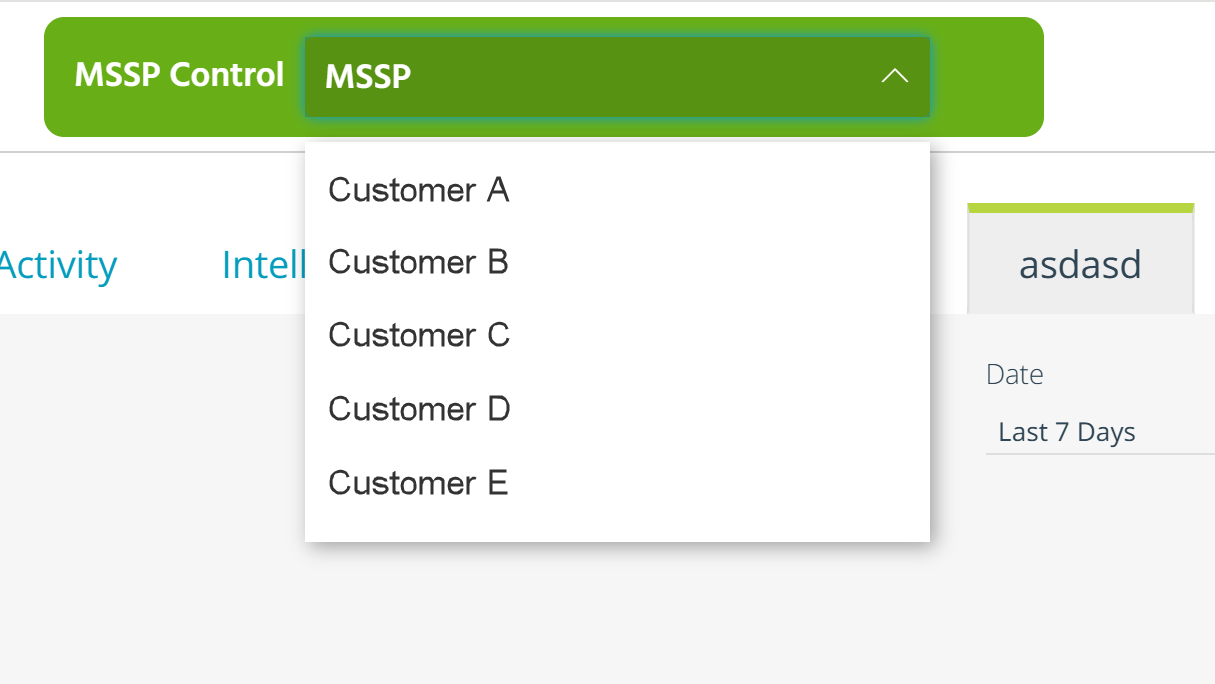
Each sub-organization has its own users, data, and settings, and Anomali ensures strict data segregation between them. Although you may have access to multiple customers, you can only view and work in one environment at a time—the one you select through the MSSP Control menu.
To help you support your customers efficiently, Anomali allows you to access a customer’s sub-organization as one of its users. When you do so, you temporarily assume that user’s roles and privileges, just as if you had logged in with their credentials. This enables you to provide support, perform configuration tasks, or investigate your customers' issues directly within their environment. Additionally, you can run search queries through the data of the selected sub-organizations. To learn more about running search queries in sub-organizations, refer to Federated Search.
The user accounts designated for accessing sub-organizations are preconfigured by Anomali Sales or Support in coordination with you. Once this setup is complete, switching into a customer’s environment is as simple as selecting their sub-organization from the MSSP Control menu. When you finish your work in a sub-organization, you can return to your MSSP-organization (parent organization) by clicking the Revert icon.
